What Is a Laptop Shipping Box & Why It Matters
A laptop shipping box is purpose-built protective packaging designed specifically to transport laptops safely through carrier networks. At AIRFILL Technologies, we understand that operations managers and IT asset teams need reliable, sustainable solutions that prevent damage without inflating costs or storage footprints.
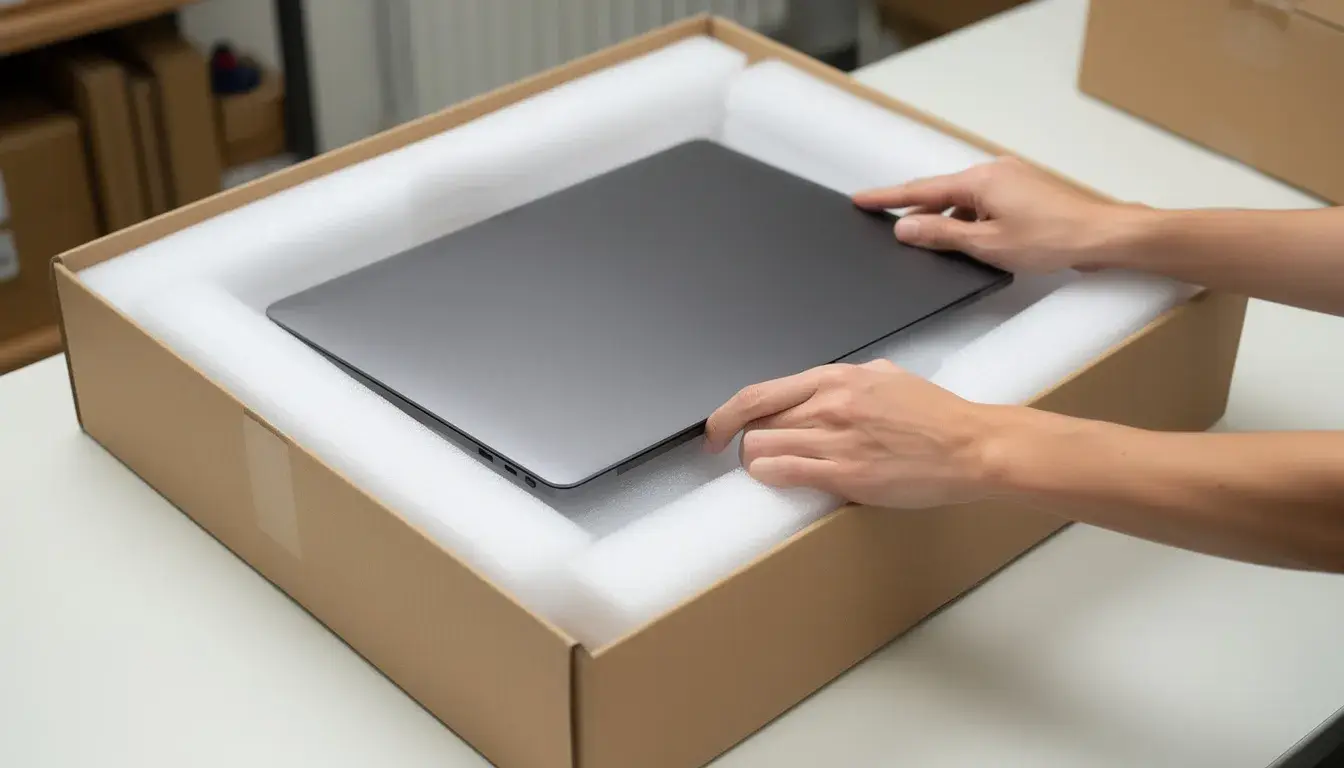
These specialized boxes feature corrugated construction with integrated protection—whether foam inserts, inflatable air cushions, or adjustable padding—sized to accommodate devices ranging from compact 10-inch tablets to large 17.3-inch workstations. Internal dimensions typically provide 1-2 inches of cushioning clearance on all sides, with outer dimensions commonly around 18 inches length, 17 inches width, and 2.5-4 inches height for universal compatibility.
Businesses rely on laptop shipping boxes across three primary use cases:
- E-commerce orders: Delivering new devices to customers with unboxing-ready presentation
- Employee device deployment: Shipping equipment to remote and hybrid workers
- IT asset recovery: Managing returns, RMAs, and fleet refresh cycles
The core benefits center on impact protection that meets transit testing requirements from major carriers, compliance with FedEx, UPS, USPS, and DHL guidelines, and measurable reductions in damage claims and costly returns. Industry data suggests that certified laptop boxes can reduce transit damage rates from 12% with generic packaging to under 2%.
AIRFILL Technologies approaches laptop shipping with a sustainable mindset. Our inflatable cushion solutions and recyclable materials—including store drop-off recyclable AIRFILL Bags and curbside recyclable EcoGuard options—deliver protection without the environmental burden of traditional foam blocks.
The rest of this article will help you choose the right laptop box for your devices, pack them correctly, and optimize your laptop shipping operations for efficiency and sustainability.
Key Features of an Effective Laptop Shipping Box
Not all laptop packaging performs equally. When selecting a laptop shipping box for your operations, look for specific features that directly impact protection, efficiency, and compliance.
Size Compatibility
Laptop sizes fall into distinct categories that should guide your box selection:
| Device Category | Typical Dimensions | Recommended Box Interior |
|---|---|---|
| Compact (10-13”) | 12” x 8.5” x 0.5” | 14” x 10” x 2.5” |
| Standard (13-15”) | 14” x 10” x 0.75” | 16” x 12” x 3” |
| Large (15-17.3”) | 16” x 11” x 1” | 18” x 13” x 4” |
Always check internal dimensions against your actual device measurements, including any sleeve or thin case the laptop will wear during transit.
Construction Quality
The corrugated board matters more than most buyers realize:
- Single-wall corrugated (C-flute): Appropriate for domestic ground shipments and lighter devices under 6 lbs
- Double-wall corrugated: Recommended for international shipping, air transit, or devices over 6 lbs
- Edge Crush Test (ECT) ratings: Look for 32-ECT minimum, which withstands stacking pressures up to 75-100 lbs—essential for warehouse palletizing
Integrated Protection Types
The cushioning system inside your laptop box determines whether your device arrives intact:
- Die-cut foam inserts: Pre-formed to specific laptop sizes, offering consistent positioning
- Adjustable foam blocks: Tear-away sections that adapt to multiple device dimensions
- Inflatable AIRFILL cushions: On-demand air columns providing 360-degree drop protection with minimal storage footprint
- Anti-static polyurethane foam: Neutralizes electrostatic discharge risks for bare electronics
Accessory Accommodation
Effective laptop boxes include features for the complete kit:
- Built-in charger compartments that prevent adapter impact against the screen
- Two-compartment layouts separating the device from cables and accessories
- Carrying handles for easier transport to carrier drop-off locations
- Space for documentation, warranty cards, or return instructions
Certification and Testing
Boxes labeled as FedEx, UPS, USPS, or ISTA transit-tested have passed drop tests from 30 inches and vibration protocols simulating 48-hour ground shipping. These certifications aren’t marketing fluff—they represent validated protection.
Closure and Security
Secure sealing prevents both damage and tampering:
- Self-locking tabs for tool-free assembly
- Adhesive strips or tape-friendly seams for reliable closure
- Optional tamper-evident seals for high-value shipments
- Compatible surfaces for lithium battery labeling (UN3481) and standard shipping labels
Types of Laptop Shipping Boxes & Kits You Can Use
Beyond the standard cardboard box sits a range of form factors designed for different shipping scenarios. Understanding your options helps you match packaging to your specific operational needs.
Classic Corrugated Laptop Mailers
These single-piece folder (OPF) designs fold into a complete box without separate assembly. Constructed from 32-ECT C-flute kraft material, they typically include foam end-caps and internal padding sized for 13-17 inch notebooks, ultrabooks, and Chromebooks.
Standard pricing ranges from $16.95 to $48.89 per unit depending on size and foam configuration. They’re ideal for individual unit shipments where consistent protection matters more than customization.
All-in-One Laptop Shipping Kits
Complete shipping kits bundle everything needed for a single laptop shipment:
- Corrugated outer box
- Protective foam or inflatable air cushions
- Anti-static polybag for the device
- Tape or integrated adhesive strip
- UN battery labels for lithium-ion compliance
- Packing instructions for non-technical staff
These kits eliminate guesswork and ensure every shipment meets the same protection standard—particularly valuable for decentralized operations where remote employees pack their own returns.
Multi-Pack and IT Asset Return Kits
Designed for high-volume operations, these solutions ship multiple devices simultaneously or manage RMA and refresh cycles:
- Larger outer cartons with dividers for 2-6 laptops
- Standardized cushioning that speeds packing time
- Pre-printed return labels and documentation pockets
- Reclosable flaps for reverse logistics without additional tape
Inflatable Laptop Protective Bags
Air column packs offer an alternative to rigid foam, using inflated chambers that conform around the device for 360-degree protection:
- Minimal storage footprint—flat until inflated
- Lightweight construction reduces dimensional weight charges
- Suitable for global shipping across varied climate conditions
- Often store drop-off or curbside recyclable
AIRFILL Bags exemplify this approach, providing high-impact cushioning while supporting sustainability goals through recyclable materials.
Reverse Logistics and Return-Ready Boxes
Purpose-built for device retrieval, these boxes feature:
- Integrated carrying handles
- Reclosable flaps with strong adhesive for multiple open/close cycles
- Pre-applied return labels or label pockets
- Clear packing instructions are printed inside the lid
When Basic Boxes Suffice
For low-value shipments or heavily padded devices already in original manufacturer packaging, a basic flat box with added void fill or bubble wrap may be acceptable. However, for bare laptops, refurbished devices, or any shipment where damage creates significant cost exposure, dedicated laptop packaging is strongly recommended.
How to Choose the Right Laptop Shipping Box for Your Devices
Selecting the perfect laptop shipping box involves matching device specifications to packaging capabilities while accounting for your operational context. Here’s a step-by-step approach for operations and logistics managers.
Start With Measurements
Measure your laptop’s actual dimensions, including any protective sleeve or thin case:
- Length (front to back)
- Width (side to side)
- Thickness (closed, at the thickest point)
Compare these against the internal box dimensions—not the outer dimensions that carriers use for pricing.
Calculate Cushioning Clearance
Choose a box that allows 1-2 inches (2.5-5 cm) of protective material on all sides. This cushioning zone absorbs impact and vibration during handling and transit. Insufficient clearance means your foam or air cushions can’t do their job.
Match Box to Use Case
Different scenarios demand different solutions:
| Use Case | Recommended Approach |
|---|---|
| Single e-commerce shipment | Pre-assembled kit with integrated cushioning |
| Bulk B2B deployments | Multi-pack boxes with dividers for efficiency |
| Warranty returns | Return-ready boxes with reclosable flaps |
| High-value devices | Double-wall construction with anti-static protection |
Select Your Cushioning System
Base your cushioning choice on three factors:
- Device value: Higher-value laptops justify premium protection like anti-static foam or AIRFILL inflatable cushions
- Transit distance: International or multi-carrier shipments face more handling events
- Carrier handling intensity: Air freight and expedited services involve more aggressive movement
Verify Regulatory Compatibility
Laptops with lithium-ion batteries fall under UN3481 classification. Ensure your box design:
- Provides clear space for required hazard labels
- Meets carrier requirements for air transport
- Includes appropriate documentation pockets for international shipments
Factor in Sustainability
Recyclability impacts both environmental footprint and customer experience:
- Recyclable corrugated board for curbside collection
- Store drop-off recyclable AIRFILL Bags for plastic film recycling
- Curbside recyclable EcoGuard options for maximum convenience
Calculate Total Landed Cost
The unit price of your laptop box is just one cost driver. Consider:
- Dimensional weight impact on shipping charges
- Labor time for packing and sealing
- Storage costs for inventory
- Damage and return rates affecting bottom-line profitability
A $25 box that reduces damage claims by 70% delivers better ROI than a $10 option with higher failure rates.
Best Practices for Packing a Laptop in a Shipping Box
Proper packing technique transforms a good box into effective protection. Follow this checklist to ensure every laptop arrives intact.
Pre-Packing Device Preparation
Before the laptop touches packaging:
- Power down completely—not sleep mode, but full shutdown
- Disconnect the charger and any peripherals
- Disable wake-on-LAN or scheduled power-on features if shipping by air
- Close the lid securely and ensure latches engage
Protective Bagging
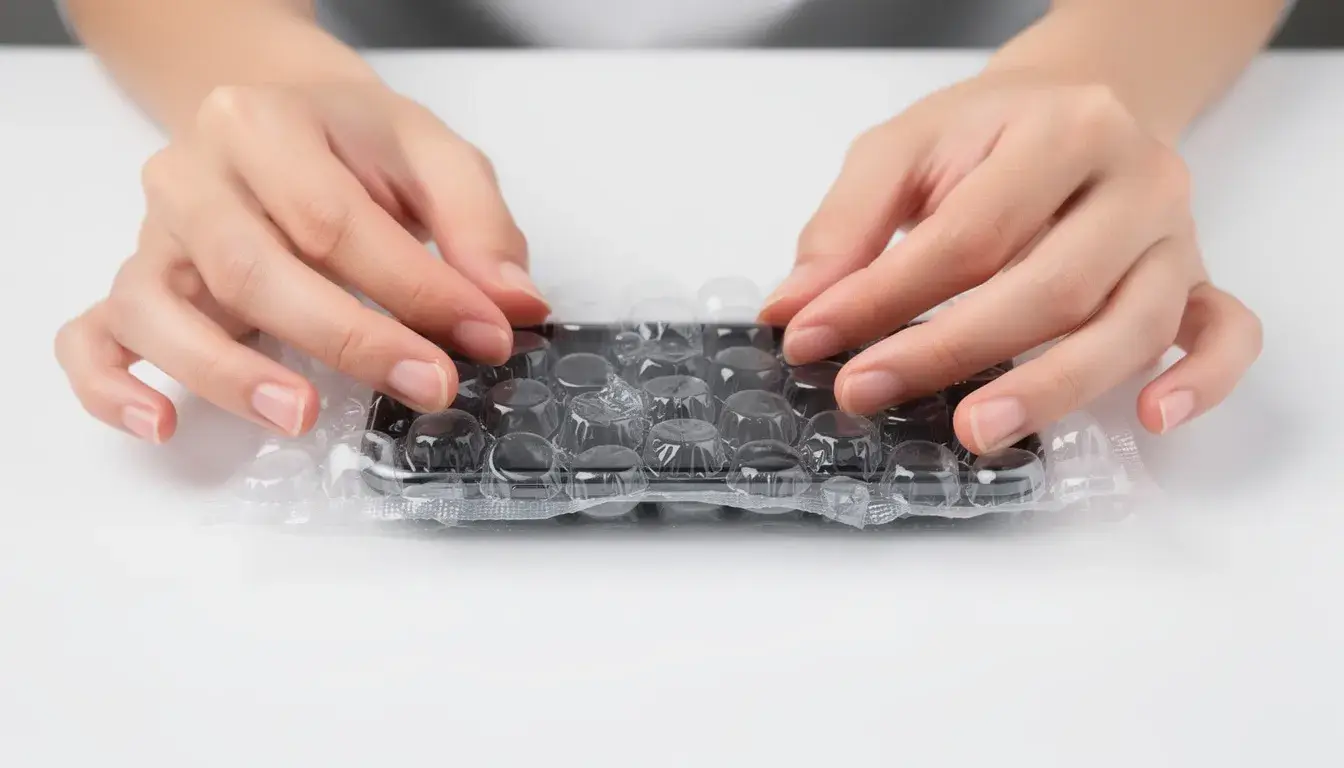
Place the device in a protective polybag or anti-static bag before adding cushioning. This step:
- Prevents moisture exposure during transit
- Protects screen surfaces from foam or cushion abrasion
- Adds a layer of static protection for bare devices
Centering and Cushioning
Position the laptop in the exact center of the box:
- Apply end-cap foam or inflatable cushions to both short ends first
- Add side cushions or foam frames along the long edges
- Place foam pads or air pillows above and below the device
- Ensure no direct contact between the laptop and any box wall
Securing Accessories
Loose chargers and cables cause screen damage when they shift during transit:
- Use the dedicated inner compartment if your box includes one
- Otherwise, place accessories in a small inner carton
- Wrap cables to prevent tangling that could create pressure points
- Position accessories away from the laptop screen
The Shake Test
After taping the box closed, perform this simple validation:
- Hold the sealed box at chest height
- Shake gently in all directions
- Listen and feel for any internal movement
If anything shifts, open the box and add or adjust cushioning until the device feels completely immobilized. This 10-second check prevents most transit damage.
Proper Labeling
Apply labels correctly for smooth carrier handling:
- Place shipping labels on a flat top surface, never over seams or folds
- Add UN3481 or lithium-ion battery labels when required by carrier rules
- Apply “This End Up” orientation labels—FedEx data shows 15% damage reduction with proper orientation marking
- Leave seam areas free for tape reinforcement
Documentation for Claims
Keep a photo record of your packing process:
- Capture the laptop before bagging
- Photograph the cushioned interior before closing
- Take an image of the sealed and labeled exterior
These photos prove invaluable for insurance claims and warranty documentation if damage occurs despite proper precautions.
Sustainability & Compliance Considerations for Laptop Shipping
Sustainable laptop packaging isn’t just about environmental responsibility—it drives real business outcomes, including lower disposal costs, regulatory compliance, and stronger ESG reporting metrics.
Understanding Recyclability Categories
Not all “recyclable” packaging is created equal:
| Material Type | Recycling Method | Customer Convenience |
|---|---|---|
| Corrugated cardboard | Curbside bin | Highest |
| Paper-based cushioning | Curbside bin | High |
| Plastic film (AIRFILL Bags) | Store drop-off | Moderate |
| Mixed material foam | Specialized facility | Low |
AIRFILL Bags are designed for store drop-off recycling at major retailers, making proper disposal accessible even where curbside programs don’t accept film plastics.
EcoGuard Curbside Solutions
AIRFILL’s EcoGuard line offers paper-based protection that fits directly into residential and commercial curbside recycling:
- High-impact cushioning performance for electronics
- No sorting required—customers dispose of regular cardboard
- Simplified end-of-life messaging on packaging
Compliance Factors
Sustainable doesn’t mean compromising on safety standards:
- RoHS-compliant materials: Free from restricted hazardous substances
- BPA-free air cushions: Safe for handling and disposal
- ISTA 3A certification: Meeting or exceeding carrier transit testing for parcel shipments
Connecting Packaging to CSR Goals
Modern businesses track environmental metrics that packaging directly impacts:
- Switching from bulk foam blocks to on-demand inflatable packaging reduces warehouse waste volumes by 40-50%
- Lightweight protection cuts dimensional weight charges, lowering shipping-related CO₂ emissions
- 100% recyclable kraft materials divert an estimated 500,000 tons of packaging waste annually, industry-wide
Weight and Emissions
Every gram matters for the environmental footprint:
- Traditional foam kits: approximately 1.2 kg per laptop box
- Lightweight AIRFILL solutions: approximately 0.55 kg per laptop box
- Weight reduction translates directly to lower fuel consumption per shipment
Customer Experience
End customers increasingly notice—and appreciate—recyclable packaging:
- Clear recycling instructions improve actual recycling rates
- Eco-friendly materials align with consumer values
- Reduced packaging waste enhances the unboxing experience and brand perception
Standardizing on packaging that’s easy for customers to recycle creates a complete sustainability loop from your warehouse to their home.
How AIRFILL Technologies Supports Laptop Shipping Operations
AIRFILL Technologies serves as a B2B partner for businesses seeking sustainable, high-performance laptop packaging solutions. Rather than generic products, we provide systems designed around your operational reality.
Inflatable Protective Packaging
AIRFILL Bags deliver 360-degree cushioning through air column technology:
- Inflate on-demand to eliminate pre-filled inventory storage
- Conform around devices for snug, movement-free protection
- Store drop-off recyclable through retail plastic film programs
- BPA-free and RoHS-compliant for IT compliance requirements
EcoGuard Curbside Recyclable Solutions
For operations prioritizing maximum recycling convenience, EcoGuard products offer:
- Paper-based materials are accepted in standard curbside bins
- Performance matching or exceeding traditional foam alternatives
- Simplified customer disposal without special instructions
No-Cost Lease Auto Inflation Machines
High-volume laptop shippers can obtain auto inflation equipment without capital investment:
- No-cost machine lease for qualifying customers
- On-demand production eliminates pre-filled cushion inventory
- 80% reduction in storage space versus preformed foam
- Consistent inflation quality for reliable protection
Warehouse Space Recovery
Switching to on-demand inflatable protection frees significant floor space:
- Flat film rolls replace bulky foam block pallets
- Reduced inventory turns required for cushioning materials
- Streamlined picking paths improve fulfillment efficiency
Complete Laptop Shipping Kits
AIRFILL laptop shipping kits can include:
- Corrugated outer boxes sized for your device portfolio
- Pre-configured inflatable cushions matching laptop dimensions
- Anti-static polybags for bare device protection
- Appropriate hazard labels for lithium battery compliance
- Packing instructions for warehouse or remote worker use
Real-World Application
Consider an IT asset manager handling quarterly fleet refreshes across 200 remote employees. AIRFILL’s standardized laptop return kits provide:
- Consistent protection regardless of who packs the device
- Clear instructions printed inside each box lid
- Pre-applied return labels reduce employee confusion
- Recyclable materials supporting corporate sustainability reporting
This approach reduces damage rates during reverse logistics while simplifying the end-user experience.
Protecting Products, Preserving the Planet
AIRFILL Technologies balances product safety with environmental responsibility. Every packaging decision considers both the device protection needed for safe arrival and the planetary impact of materials, weight, and end-of-life disposal.
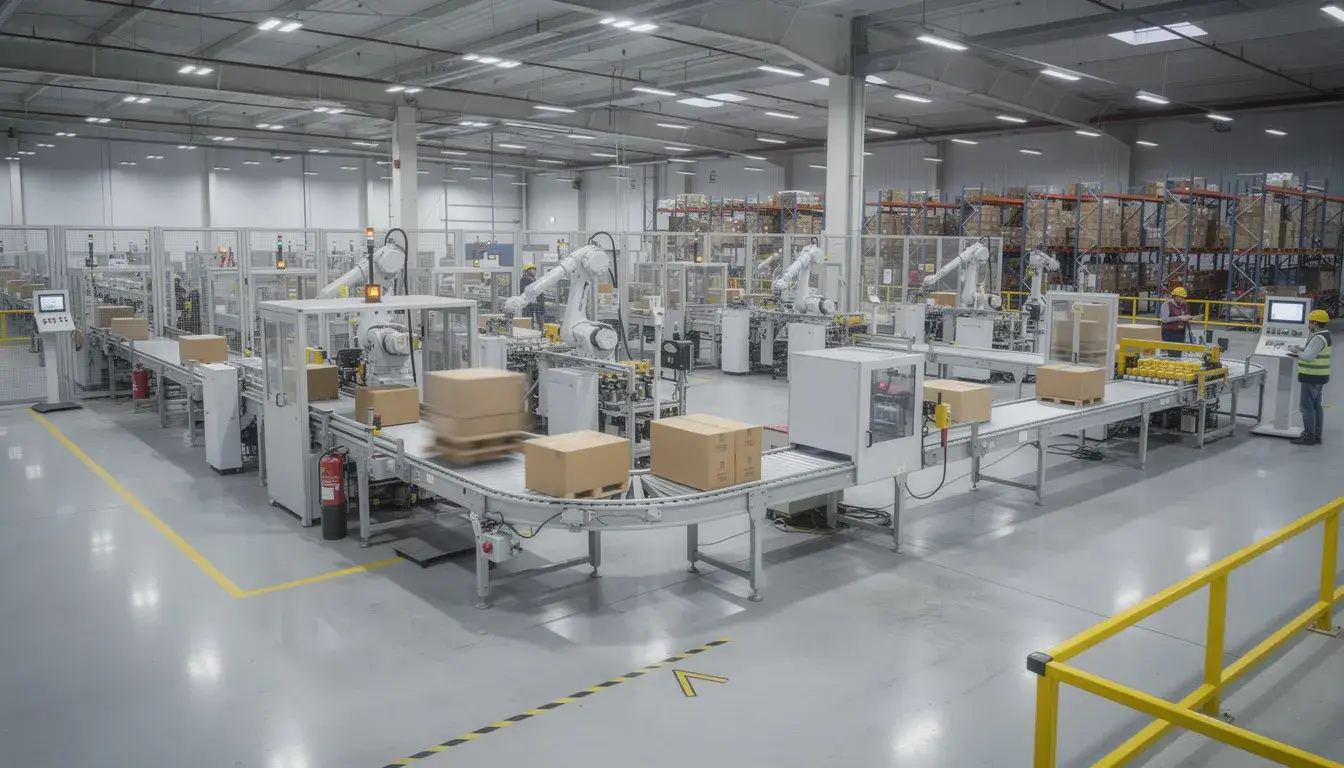
Cost & Efficiency: Reducing Laptop Shipping Expenses Without Sacrificing Protection
Packaging decisions cascade through your cost structure in ways that aren’t always obvious. Understanding these connections helps you optimize for total landed cost rather than just unit prices.
Dimensional Weight Optimization
Carriers calculate charges based on whichever is greater: actual weight or dimensional weight. Right-sized laptop boxes cut dimensional weight charges significantly:
- A generic 24” x 18” x 6” box for a 15” laptop triggers dimensional pricing
- A purpose-built 18” x 13” x 4” box for the same laptop reduces billable dimensions by 30-40%
- Savings multiply across high-volume operations and premium air services from FedEx and UPS
Material Weight Reduction
Lightweight AIRFILL cushions outperform traditional void fill:
| Cushioning Type | Typical Weight | Storage Volume |
|---|---|---|
| Foam block kit | 1.2 kg | 0.15 cubic feet |
| Peanut fill | 0.8 kg | 0.3 cubic feet |
| AIRFILL inflatable | 0.55 kg | 0.02 cubic feet (flat) |
Weight savings of 30-50% versus preformed foam translate directly to freight cost reductions, particularly for air shipments.
Labor Efficiency
Standardized laptop box designs with clear packing procedures reduce time per unit:
- Pre-assembled kits eliminate box folding and cushion positioning steps
- Auto inflation systems produce cushions in seconds versus manual void fill
- Consistent processes enable faster worker training and fewer errors
Industry assessments suggest 25% labor reduction for high-volume e-commerce operations using purpose-designed laptop packaging versus generic cartons.
Damage and Return Cost Avoidance
The ROI calculation must include failure costs:
- Electronics transit damage costs an estimated $10-50 billion annually globally
- Laptops comprise approximately 25% of these losses due to screen vulnerability
- Certified laptop shipping boxes reduce damage claims by up to 70% per UPS data
A single avoided damage claim often exceeds the incremental cost of proper packaging for 20-50 shipments.
Running Your Own Analysis
Calculate your true packaging cost over a typical quarter:
- Materials: Box, cushioning, tape, labels per unit
- Storage: Warehouse square footage occupied by packaging inventory
- Freight: Actual charges accounting for dimensional weight
- Labor: Packing time multiplied by loaded labor rate
- Damage: Claims, returns, and replacement costs
Compare scenarios using your current approach versus purpose-designed laptop boxes with optimized cushioning. The numbers often surprise even experienced logistics professionals.
IT Asset Management & Reverse Logistics Use Cases
IT managers, asset recovery teams, and reverse logistics providers face unique challenges that purpose-built laptop packaging directly addresses. Understanding common workflows helps you select solutions that integrate smoothly with existing processes.
Remote Employee Device Deployment
Sending laptops to distributed workers requires:
- Protection for devices that may sit in delivery vehicles or on porches
- Clear unboxing instructions for non-technical recipients
- Packaging that stores flat, so that employees can return devices later
Standardized shipping kits ensure every remote worker receives their equipment in the same condition, regardless of carrier handling variations.
End-of-Lease Device Collection
Collecting devices at lease termination creates reverse logistics complexity:
- Remote workers need easy repacking without special supplies
- Devices must survive return shipping in the same box used for deployment
- High-volume collection windows create warehouse receiving bottlenecks
Return-ready boxes with reclosable flaps and built-in cushioning simplify instructions while maintaining protection through the round trip.
RMA and Repair Processing
Warranty returns and repair shipments demand:
- Documentation of device condition before shipping
- Protection against additional damage during transit
- Efficient processing at repair facilities
Pre-labeled laptop boxes with built-in cushioning reduce reboxing at collection sites and ensure consistent protection whether packed by a customer or a technician.
OEM Refresh and Refurbishment Programs
Large-scale device refresh projects involve:
- Collecting hundreds or thousands of laptops over weeks or months
- Processing returns across multiple facilities
- Preparing devices for resale, donation, or recycling
Durable, recyclable packaging supports high-volume return programs while meeting sustainability commitments. AIRFILL solutions integrate into broader reverse logistics strategies that track serial numbers, chain of custody, and device condition on receipt.
Standardization Benefits
Consistent laptop packaging across all IT asset workflows delivers:
- Simplified training for warehouse staff, IT teams, and remote workers
- Predictable protection levels regardless of who packs the device
- Reduced error rates when the same box works for deployment and return
- Streamlined inventory management with fewer SKUs to track

Regulatory & Carrier Guidelines for Shipping Laptops
Regulatory compliance isn’t optional when shipping laptops, but it doesn’t have to be complicated. Focus on the key requirements that affect your packaging decisions.
Lithium-Ion Battery Classification
Most laptops ship with lithium-ion batteries installed, which triggers specific handling requirements:
- UN3481: Classification for lithium-ion batteries packed with equipment
- Packing Instruction 967: The governing standard for most laptop shipments
- Section II: The typical category for consumer electronics with batteries under 100Wh
These classifications matter because they determine labeling, documentation, and quantity limits per package.
Carrier-Specific Requirements
Each major carrier publishes current guidance that you should review periodically:
| Carrier | Key Considerations |
|---|---|
| FedEx | Battery capacity thresholds, ground vs. air restrictions |
| UPS | Section II limits, documentation requirements |
| DHL | International shipping declarations, hazard markings |
| USPS | Domestic mail restrictions, international prohibitions |
Thresholds on battery capacity, number of units per shipment, and air versus ground service limits vary by carrier and change periodically.
Labeling and Documentation
Proper hazard labeling on the laptop shipping box includes:
- UN3481 lithium-ion battery handling labels
- Battery quantity and watt-hour declarations for international air travel
- Shipper declaration forms for air freight
- Positioning labels away from seams and corners
Packaging and Label Alignment
Well-designed laptop shipping boxes make compliance easier:
- Clear flat surfaces for required hazard labels
- Adequate space for both shipping and regulatory markings
- No interference between structural features and label placement
- Room for declaration stickers on international shipments
Certified Packaging Advantages
Boxes with FedEx, UPS, or ISTA certification have been validated against:
- Drop testing from standard handling heights
- Vibration protocols simulating ground and air transit
- Compression testing for stacking during storage and transport
Using certified packaging streamlines compliance conversations and inspections because carriers recognize that testing has already validated the design.
Staying Current
Regulations evolve, particularly for lithium battery shipments. Establish a quarterly review process to check carrier websites and industry updates. Note that changes often arrive with limited notice, making standardized packaging that meets current guidelines especially valuable.
Actionable Next Steps
You now have a comprehensive framework for selecting, using, and optimizing laptop shipping boxes across your operations. Here’s how to move forward.
Key Takeaways
- Purpose-built packaging protects your investment: Certified laptop boxes with integrated cushioning reduce damage rates from 12% to under 2%
- Sustainability and protection coexist: Recyclable materials like AIRFILL Bags and EcoGuard products deliver equivalent or superior protection to traditional foam
- Total cost matters more than unit cost: Dimensional weight, labor efficiency, and damage avoidance drive true ROI
- Compliance requires attention: UN3481 labeling and carrier-specific rules affect packaging design and documentation
Audit Your Current Approach
Before making changes, gather baseline data:
- What percentage of laptops arrive damaged with the current packaging?
- How long does packing take per unit?
- Are your current materials curbside recyclable, store drop-off recyclable, or neither?
- What dimensional weight penalties are you paying?
This information identifies your highest-impact improvement opportunities.
Explore Your Options
AIRFILL Technologies offers a complete catalog of laptop packaging solutions:
- Inflatable AIRFILL Bags for lightweight, high-performance protection
- EcoGuard curbside recyclable options for maximum sustainability
- Complete shipping kits for 10-17.3-inch devices
- Multi-pack solutions for IT asset management workflows
Get Started
Contact AIRFILL Technologies at (844) 247-3455 or visit the Corona, CA facility at 1816 Railroad Street, Corona, CA 92878 to discuss a no-cost auto inflation machine lease and laptop packaging optimization for your operation.
Whether you’re shipping one laptop or managing thousands across a distributed workforce, the right packaging partner helps you protect your products while preserving our planet.